Lumi
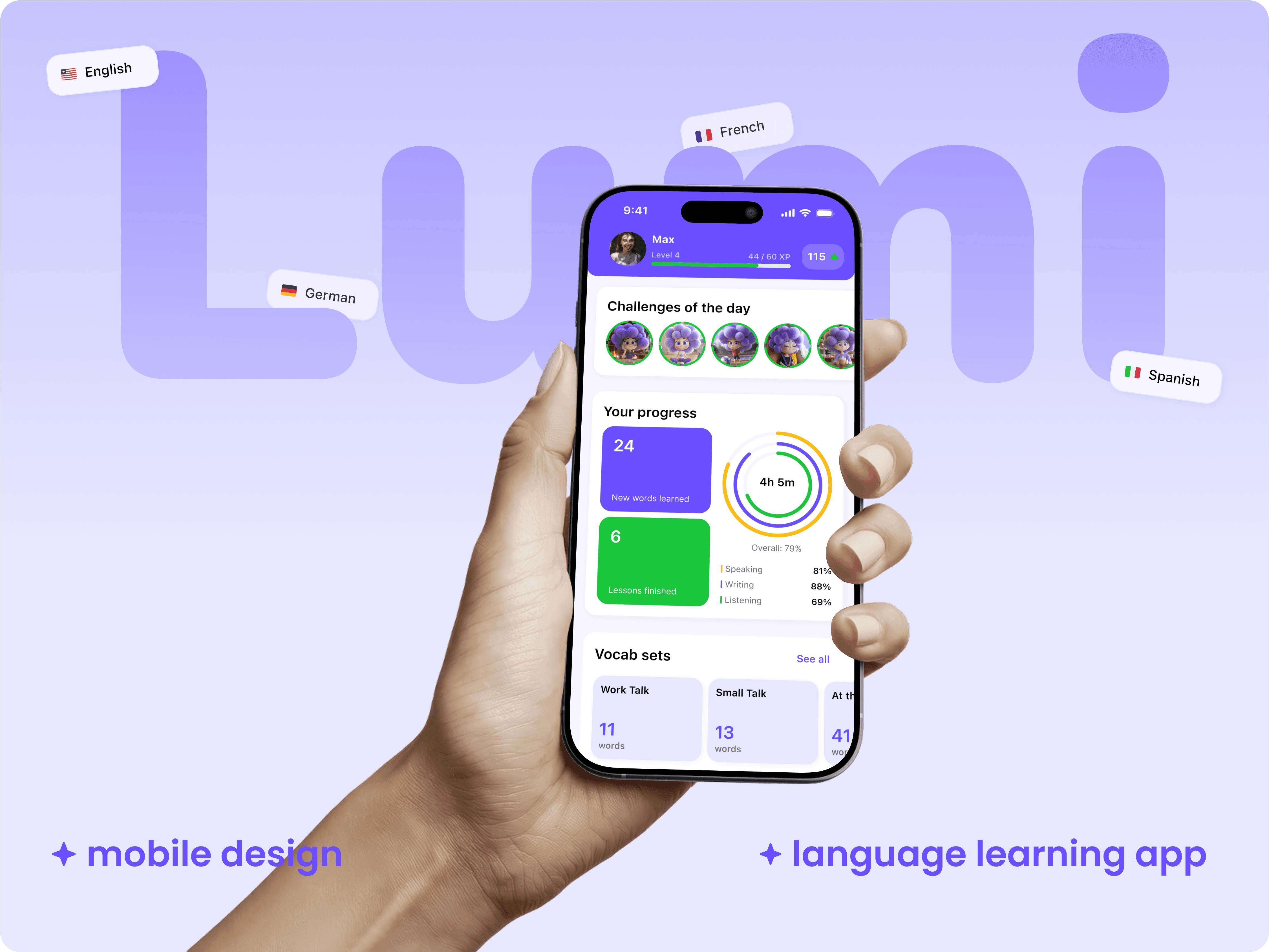
Lumi is an AI-powered language learning app that delivers fully personalized practice and real-time feedback, designed to feel like a personal tutor available anytime.
Product Design
Project Overview
Industry: EdTech, B2C, AI
Timeline: 1 year +
My Role: Lead Product Designer
Designing Lumi: AI-Powered Language Learning App
A mobile app for learning English with an AI assistant. The goal was to give beginners a fast start, clear progress and real practice through AI chat, sentence and text modes, a personal dictionary and progress tracking.
Challenge
Combine live AI conversation, sentence and text exercises, a personal dictionary, and transparent progress in one product without overwhelming beginners. Reduce cognitive load at the start, communicate Premium value, and create a rhythm of small wins.
Results
Validated by prototype tests and a small content pilot:
+26% onboarding completion through a simplified goals and level flow
−31% time to first exercise, first win in under 2 minutes
+18% clicks to Premium after a concise “What’s included” screen
Positive feedback on AI chat: clear prompts, ENG↔RU toggle, “explain simpler”
Process
Research and Analysis
User interviews with beginners (A1–B1), competitor review (Duolingo, Babbel, Busuu), JTBD, CJM. Key insight: short sessions (5–10 minutes), quick feedback and honest progress matter.
Information Architecture
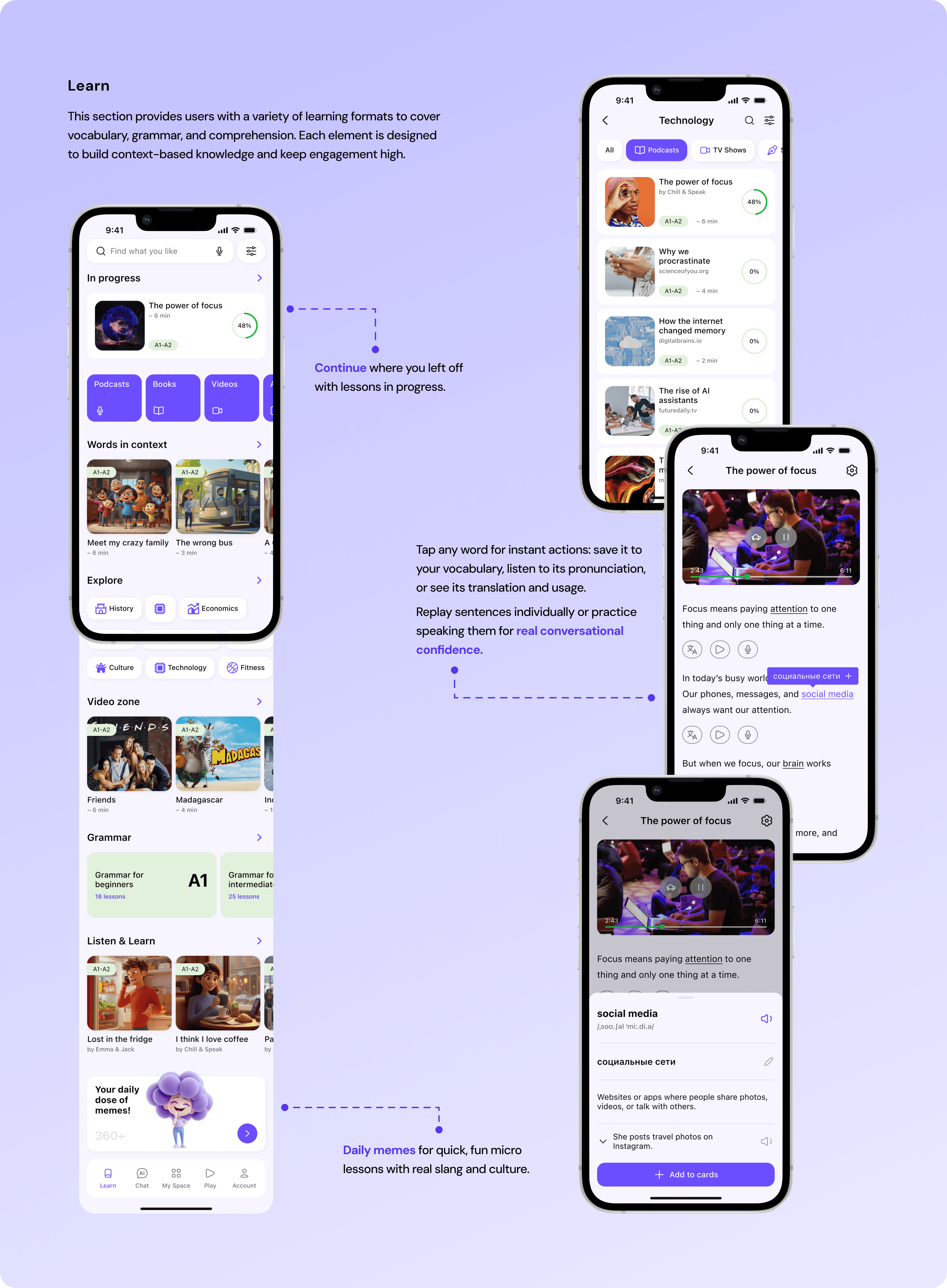
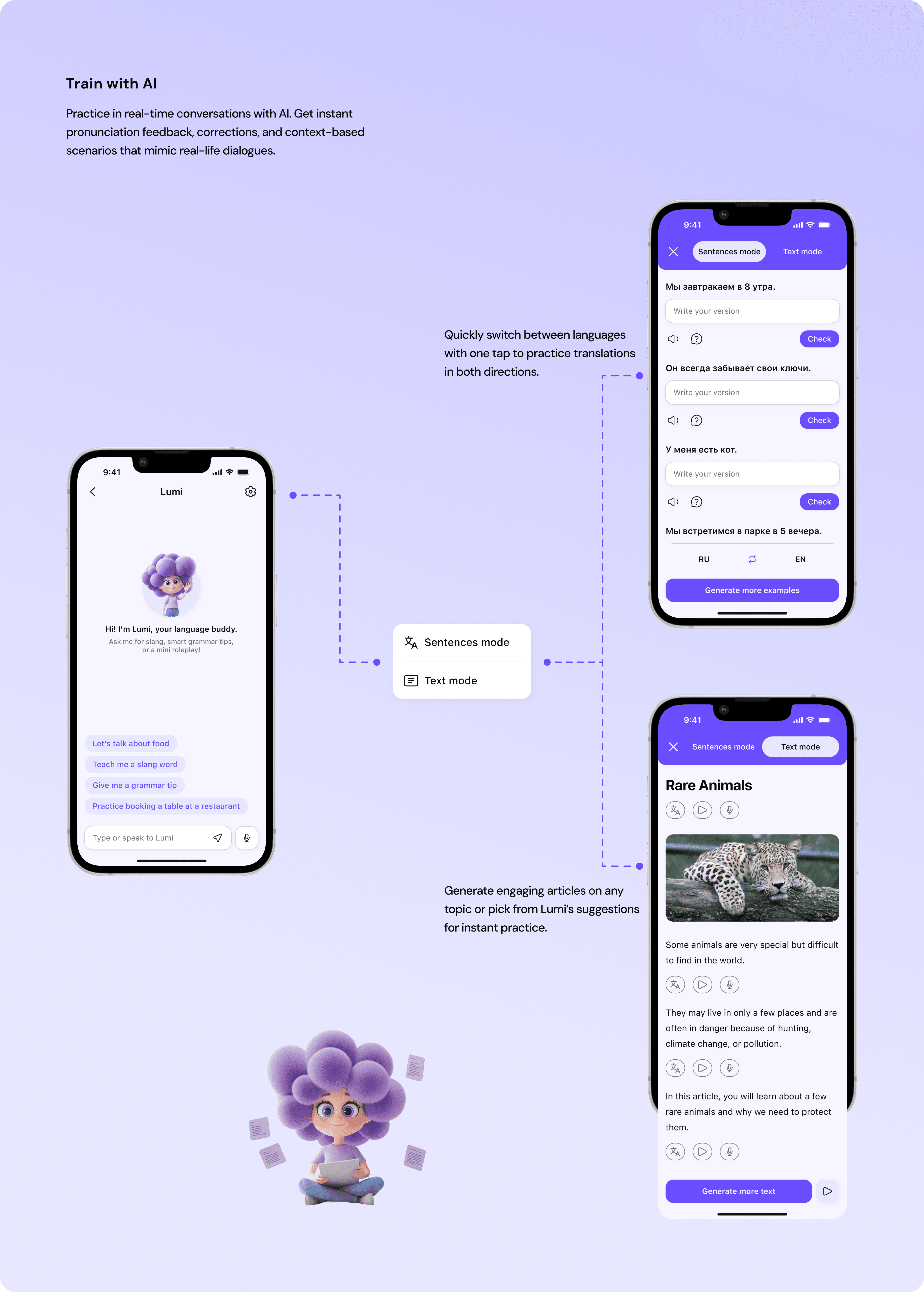
Reframed navigation around Learn, AI, and Vocabulary, plus Progress and Account. Inside AI: Sentences and Text modes, and Speaking with voice feedback.
Wireframing and Prototyping
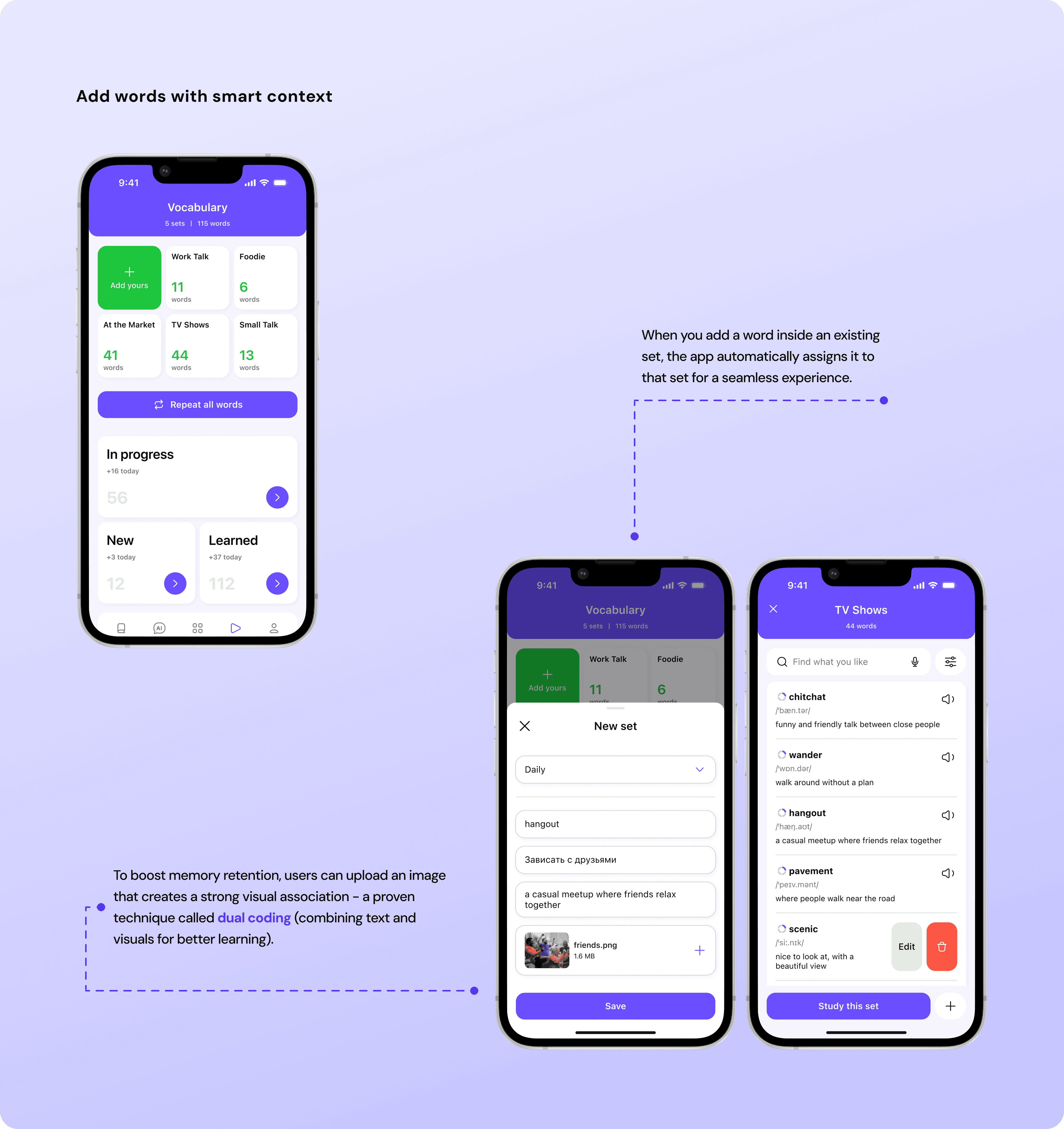
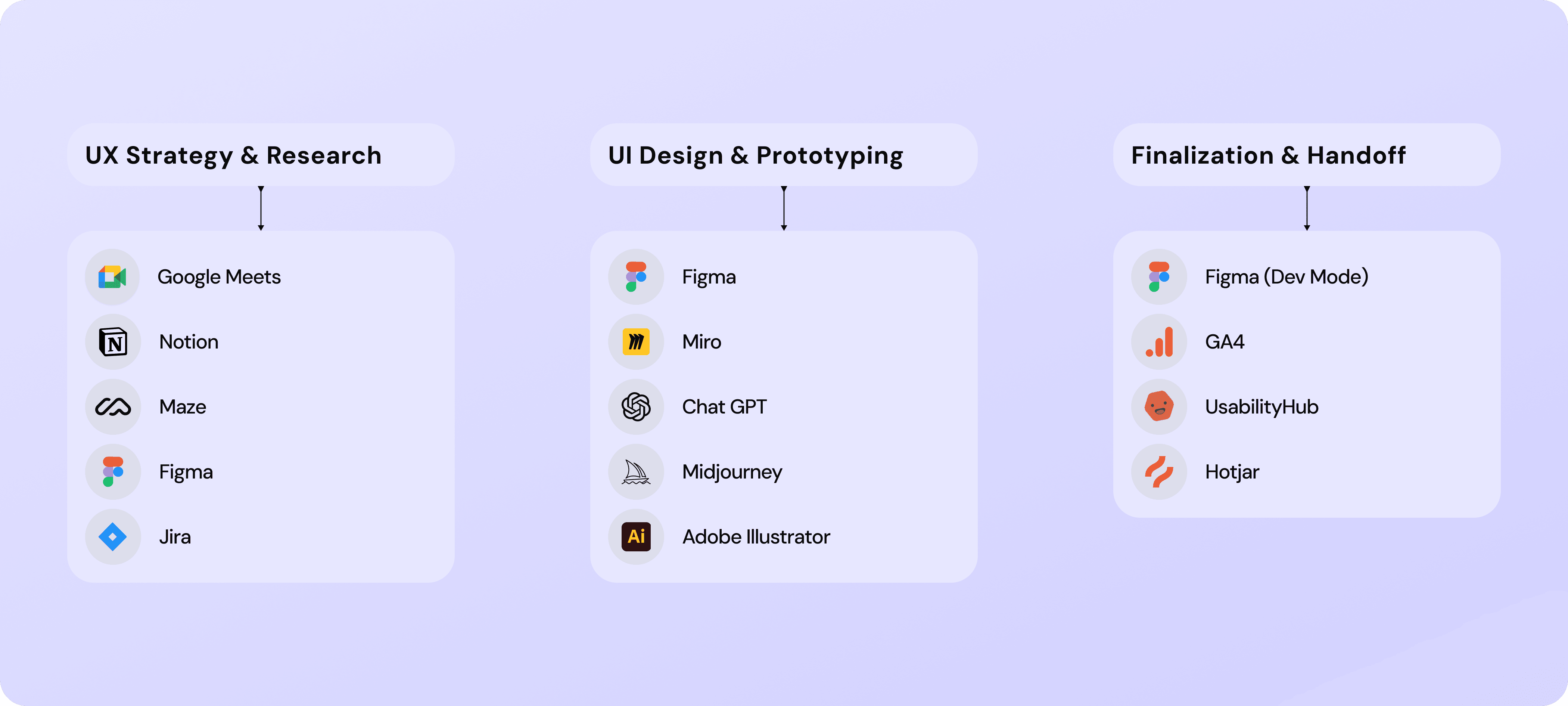
Low-fidelity wireframes to a clickable Figma prototype. Microcopy for CTAs (Check answer, Save word, Explain simpler), empty states and feedback moments.
Usability Testing
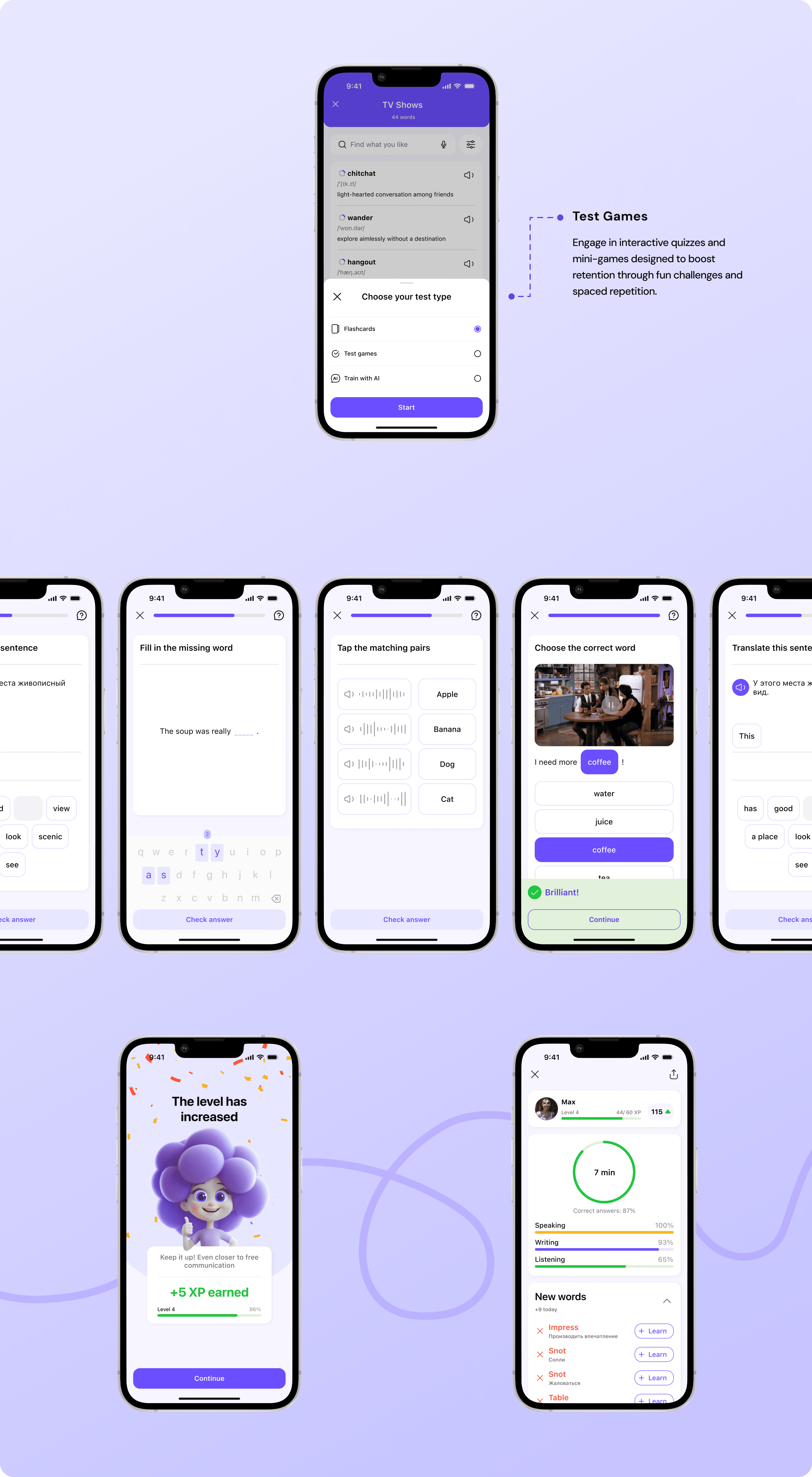
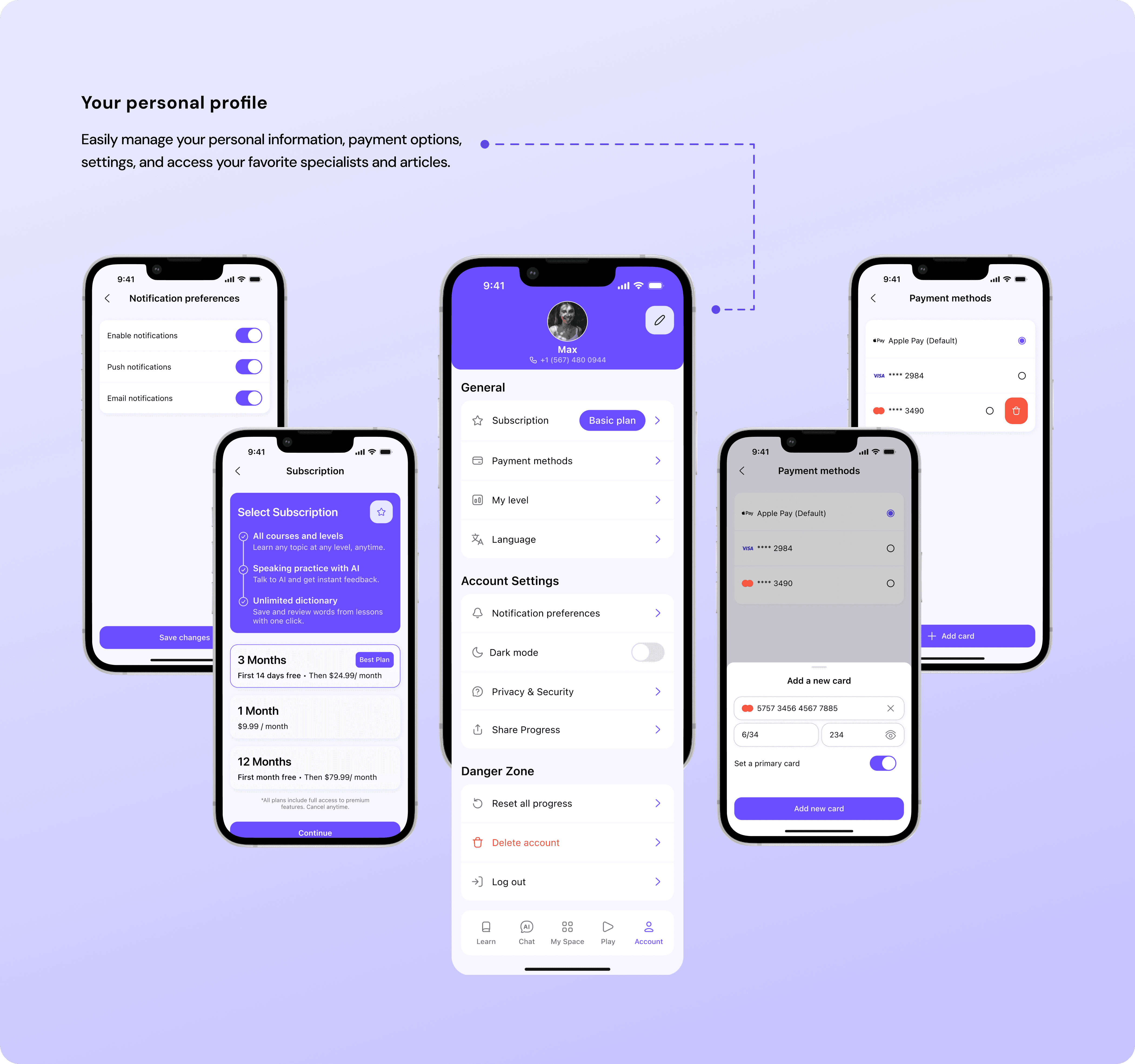
5–7 sessions. We shortened onboarding, surfaced hints within chat, added the ENG↔RU toggle, and made “save to dictionary” one tap. Paywall got three plans with concise benefits.
Visual Design and Style Guide
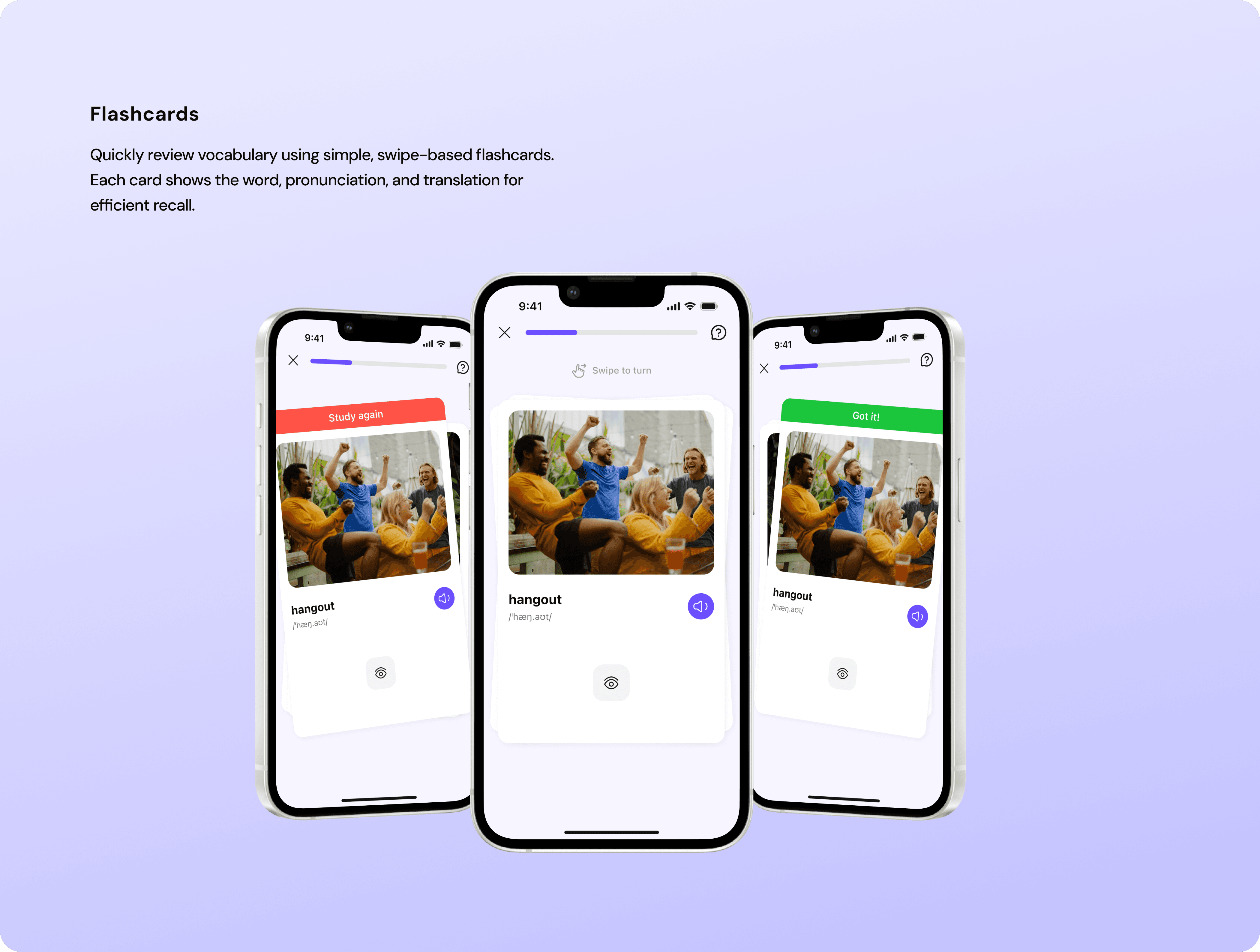
Soft 3D style, clean backgrounds, high-contrast CTAs. Design tokens for color and type, core components (Primary, Secondary, Outline, Transparent buttons), word cards, modals, forms, progress widgets. Tone of voice guidelines.
Key Solutions
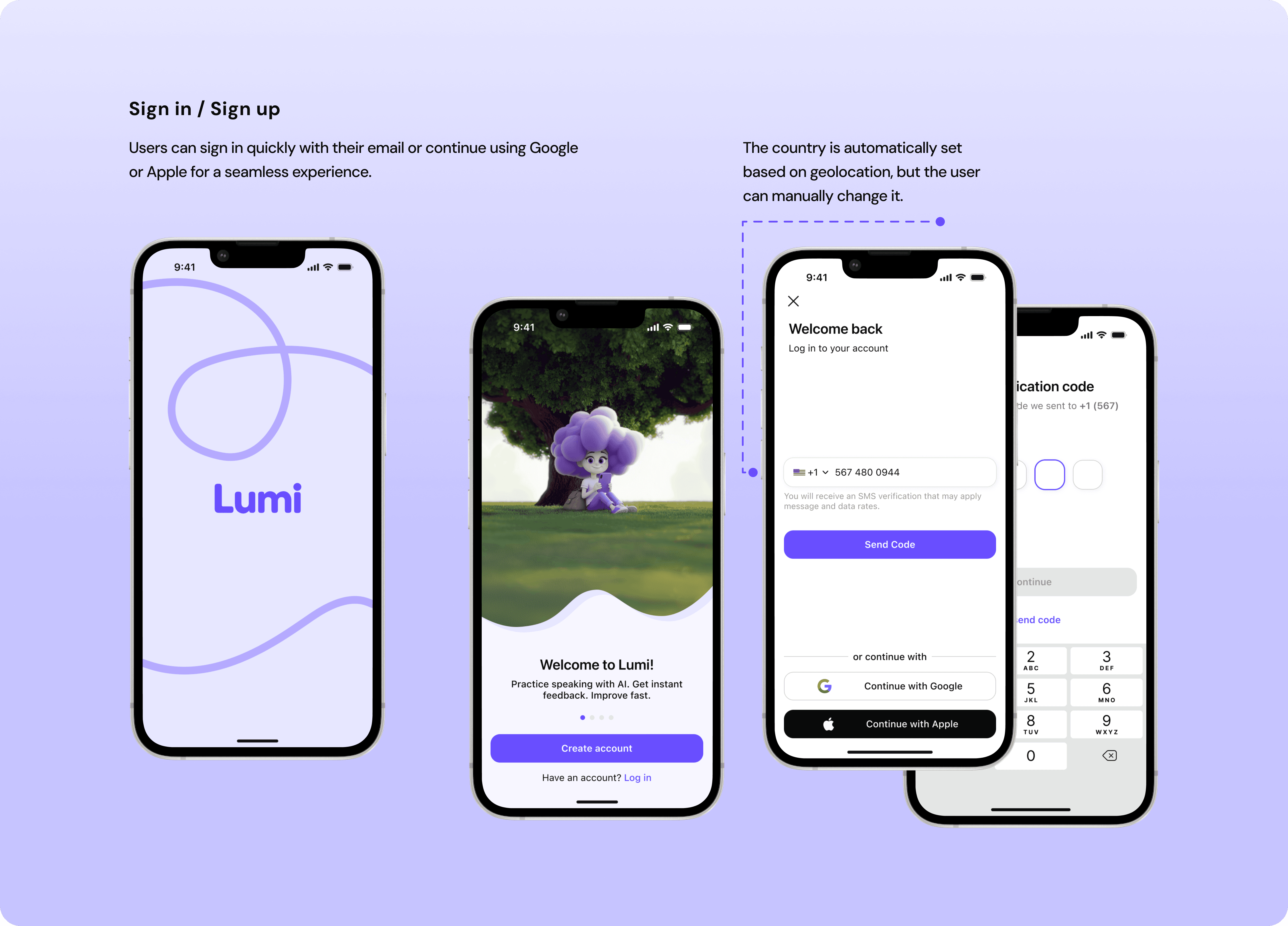
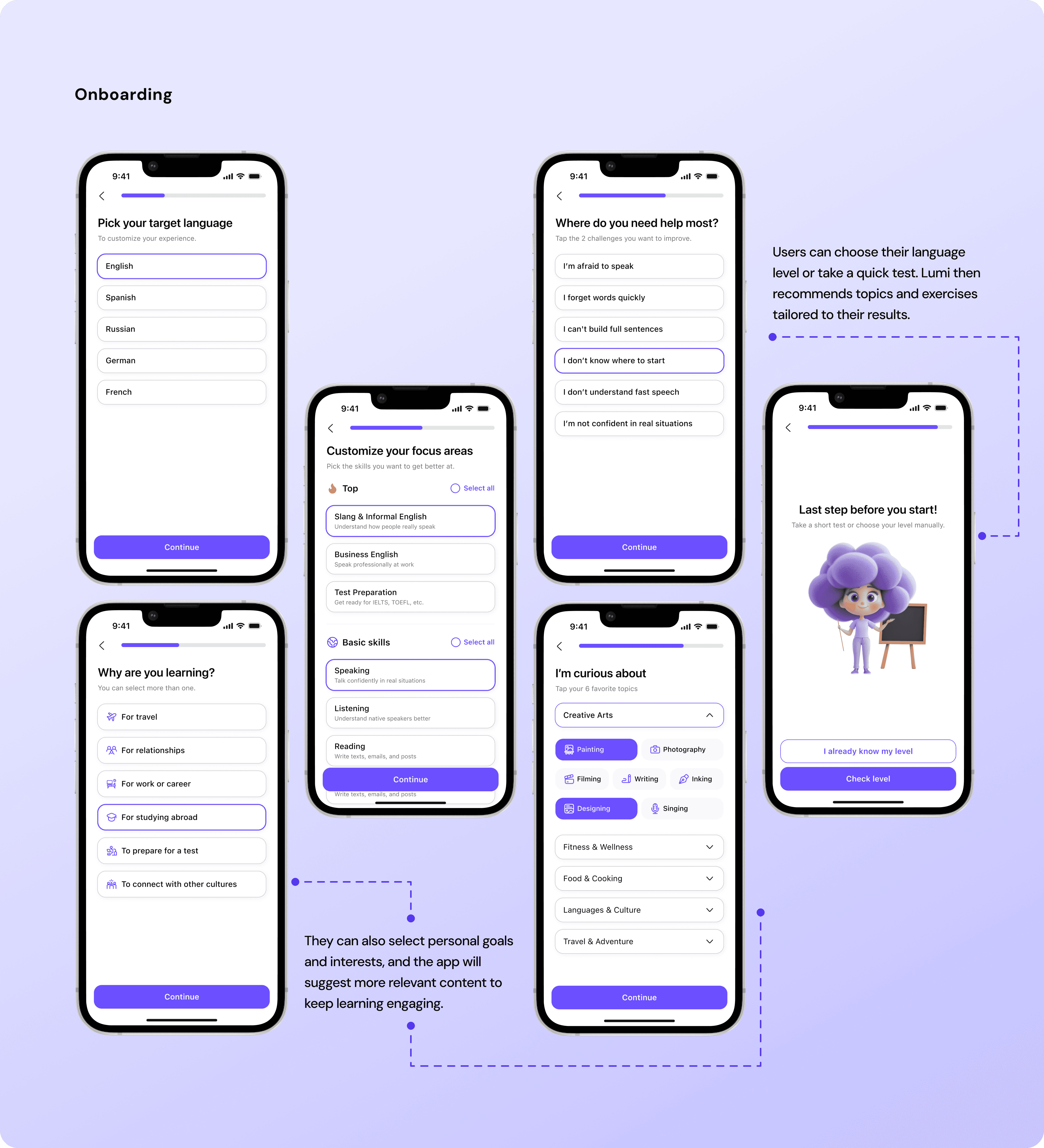
Onboarding that feels light: goals, level and skills, daily goal
Chat with AI (Lumi): smart prompts, level-aware replies, “explain simpler,” one-tap save to dictionary
Sentences and Text modes: topic generation, clear feedback, “use in my sentence” action
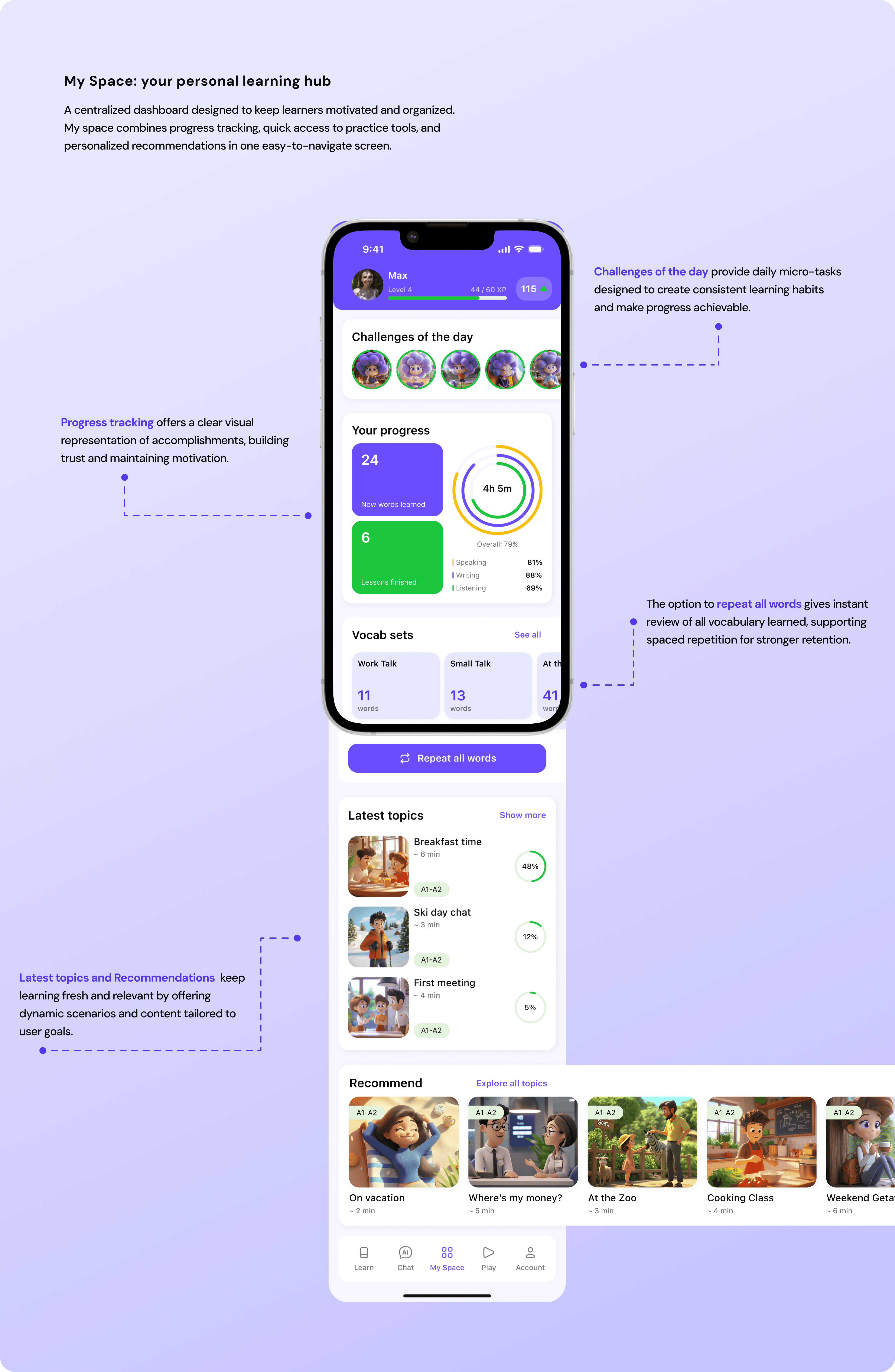
Vocabulary: unlimited cards, transcription, example and audio, fast search
Progress Tracking: skill metrics, streaks, confetti, daily and weekly targets
Subscription: three plans, concise benefits, a single “what’s included” view
Stack
Conclusion
We focused on quick wins and a simple path to AI practice, which reduced friction at the start and boosted motivation. Clear progress, one-tap vocabulary, and sentence or text modes gave users a sense of control and growth. Next steps include deeper voice practice with phonetics and A/B testing on the paywall.